

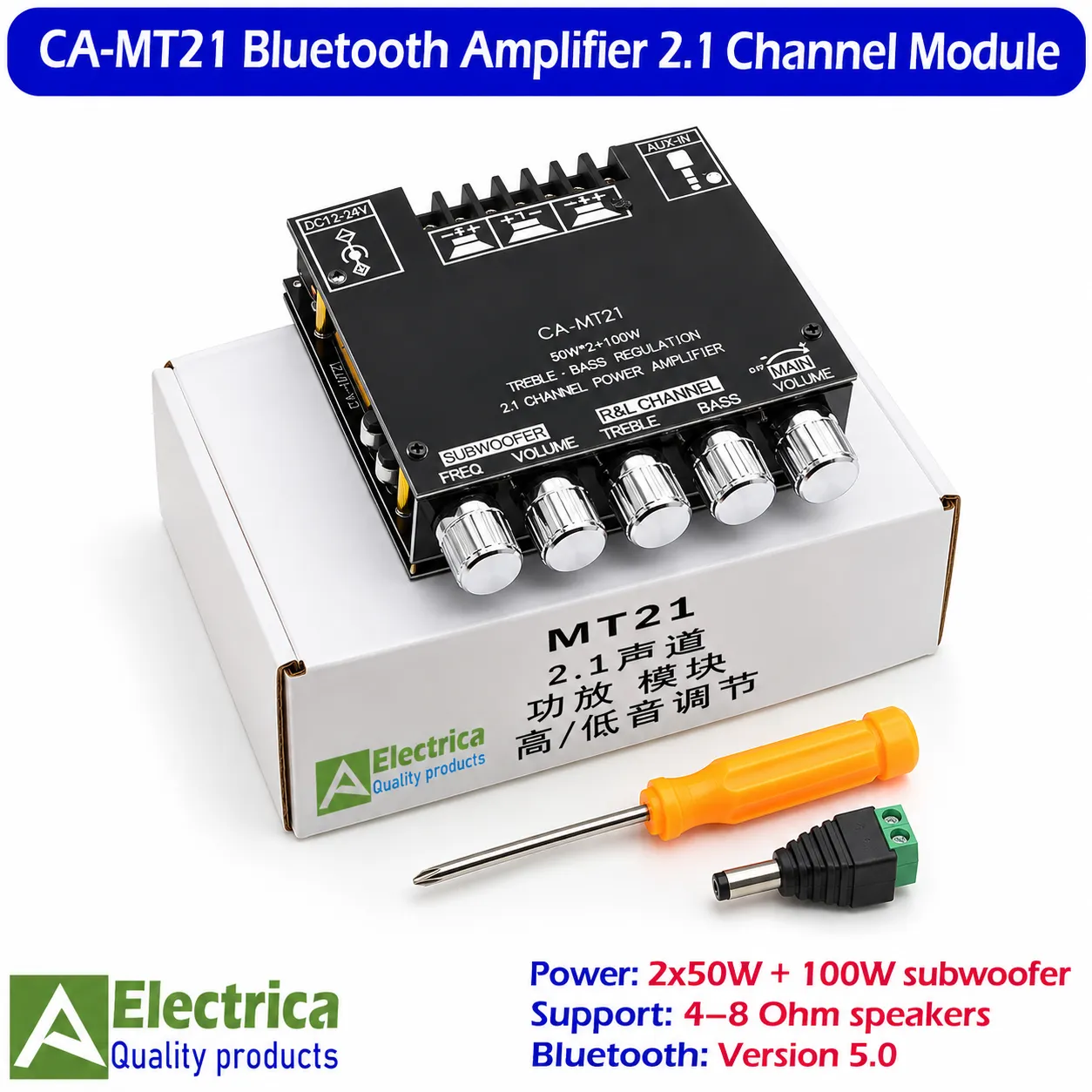
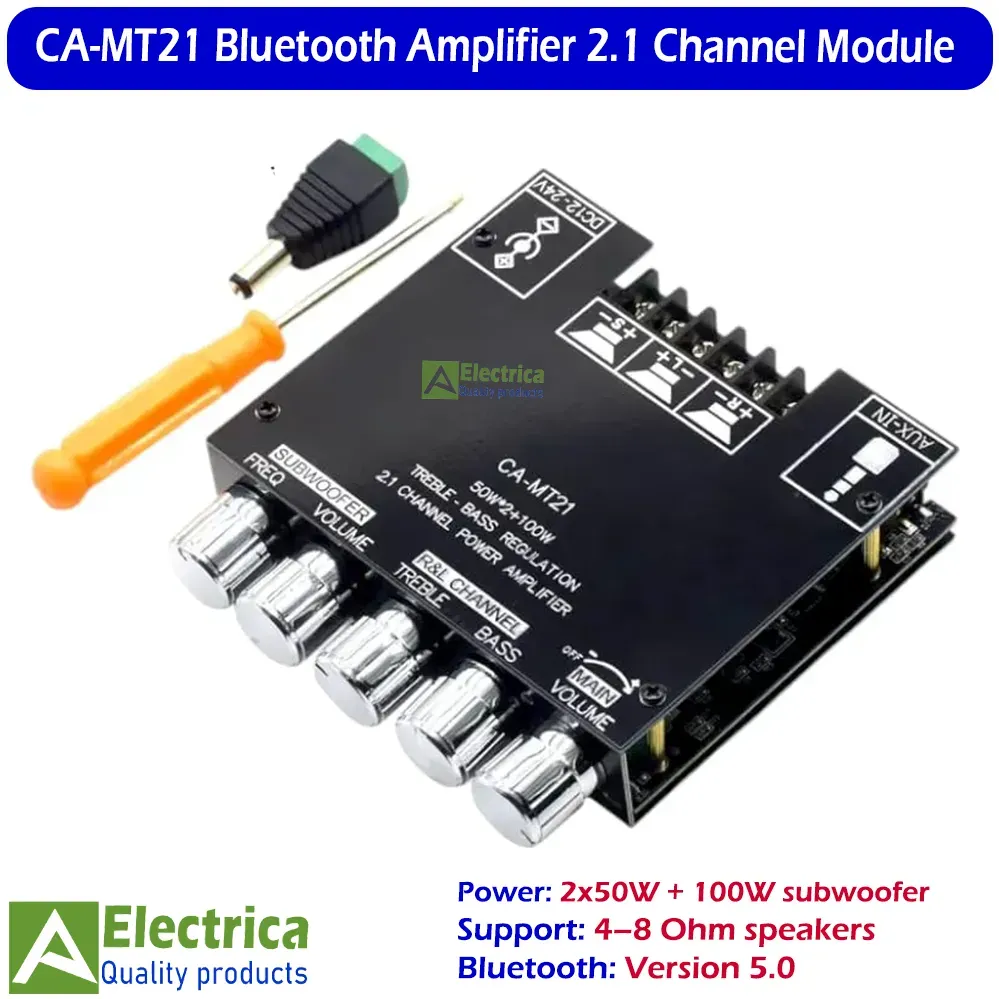
CA-MT21 Bluetooth Amplifier – 2.1 Channel 2×50W + 100W Subwoofer Audio Board – Electrica
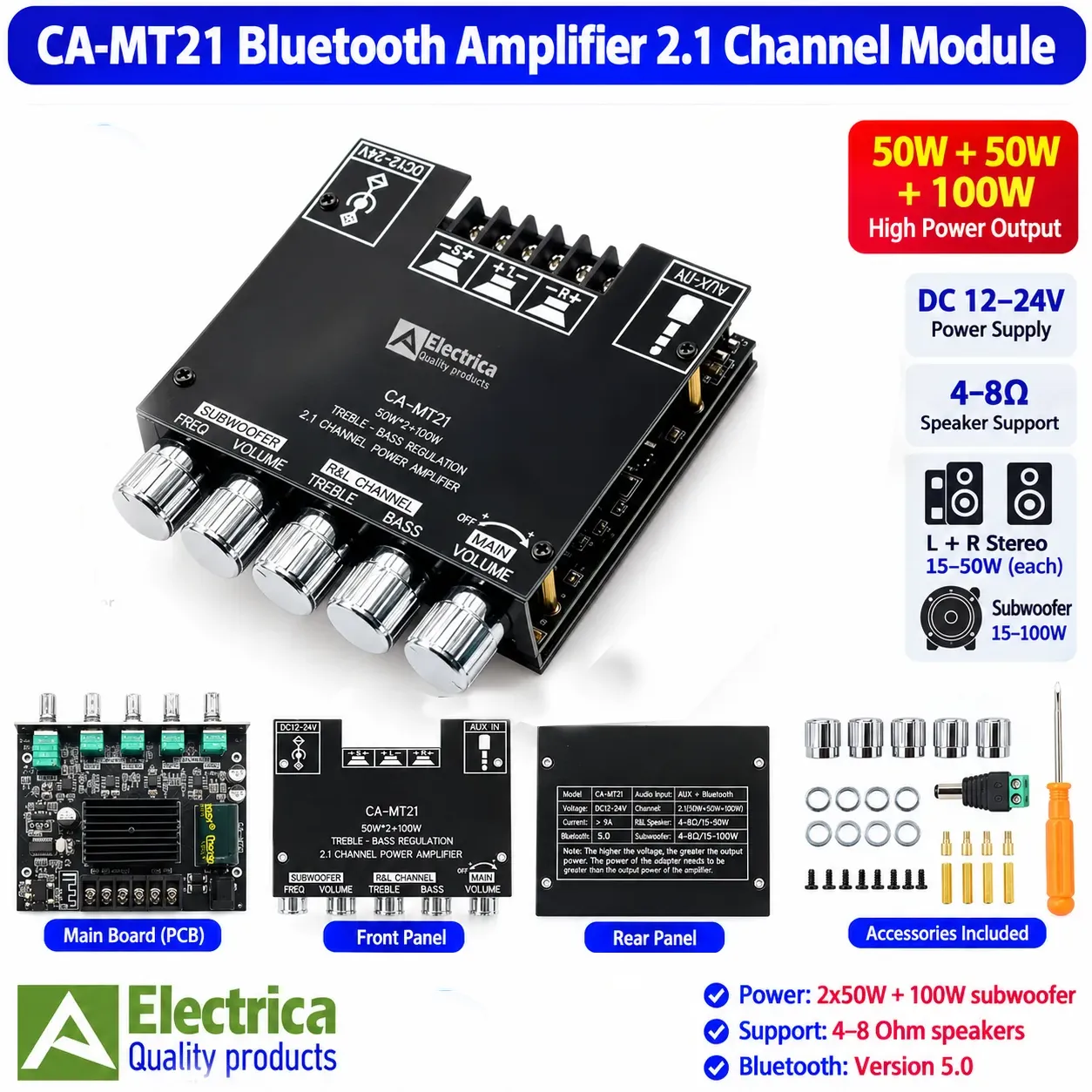
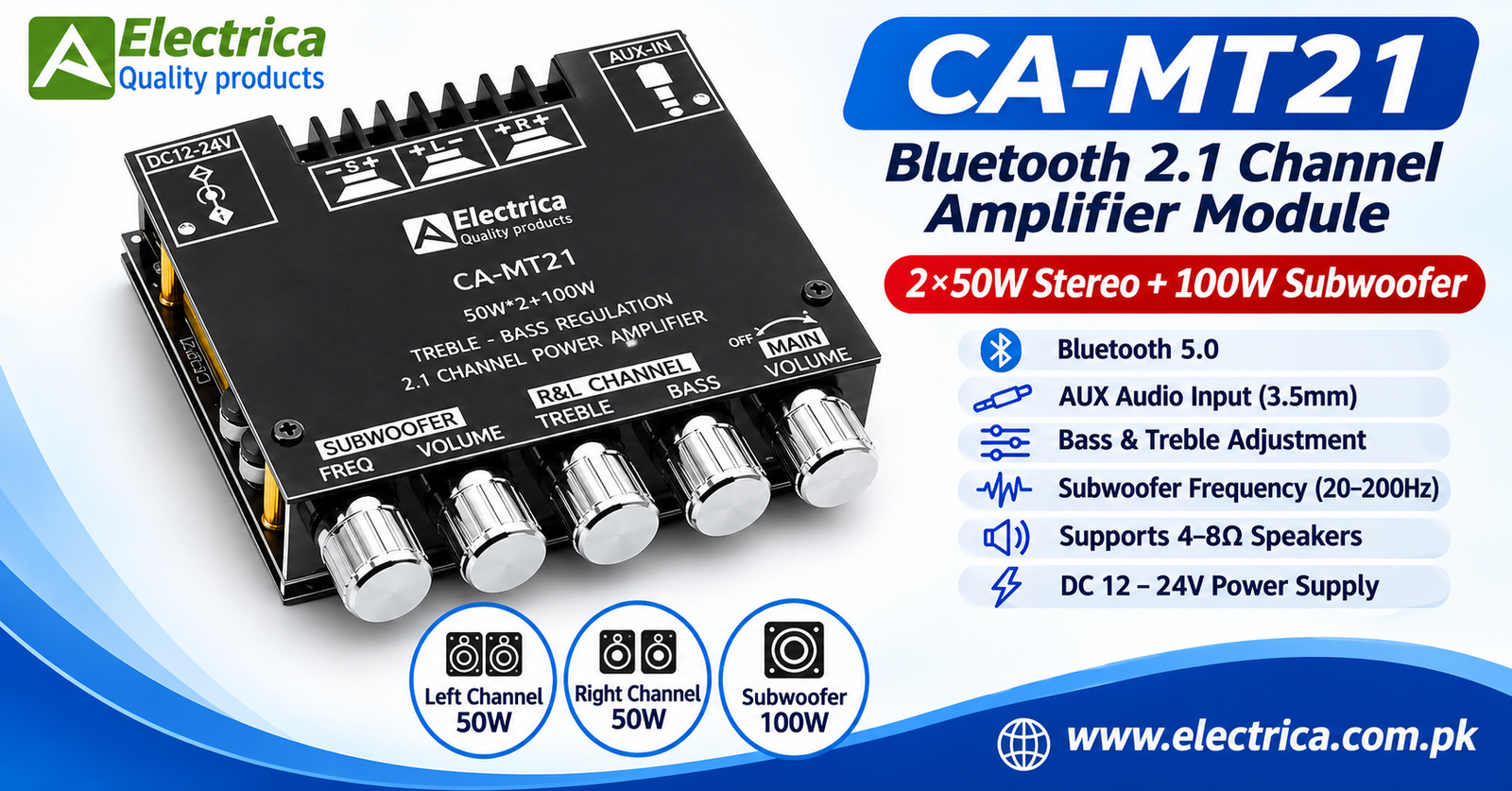
The CA-MT21 Bluetooth Amplifier is a 2.1 channel audio amplifier module featuring Bluetooth 5.0 and AUX audio input. It offers an advertised output of 2×50W stereo + 100W subwoofer and supports compatible 4–8Ω speakers.
Key Features:
- Bluetooth 5.0 wireless connectivity
- 2×50W stereo + 100W subwoofer output (advertised)
- 12–24V DC power supply
- 3.5mm AUX audio input
- Independent bass and treble adjustment
- Subwoofer frequency adjustment: 20–200Hz
- Separate subwoofer volume control
- Integrated heatsink
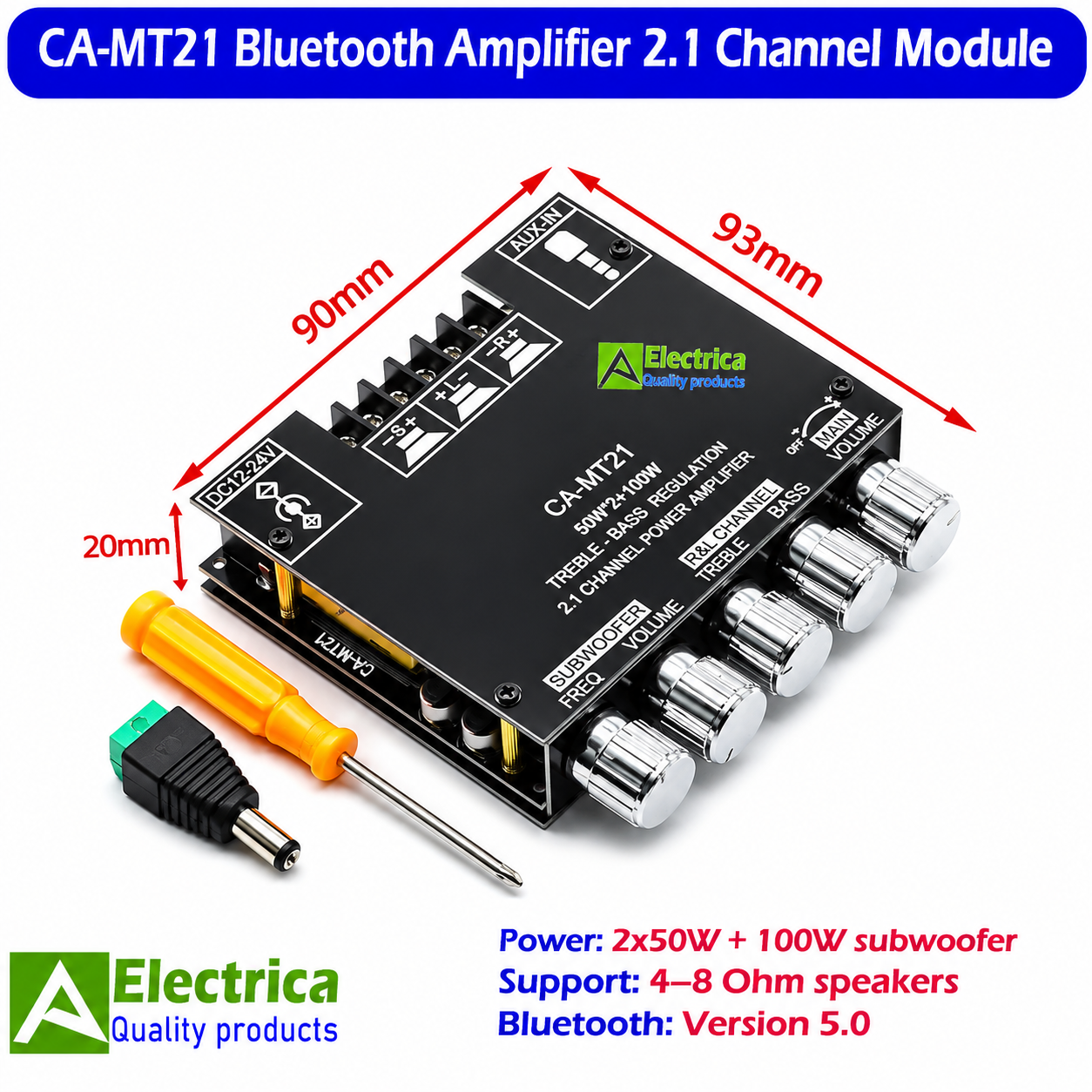
- Approximate dimensions: 90×93×20mm
₨ 3,625
CompareCA-MT21 Bluetooth Amplifier – Powerful 2.1 Channel Audio Module
The CA-MT21 Bluetooth Amplifier is a versatile 2.1 channel audio amplifier module designed for DIY speaker systems, home audio projects and custom subwoofer setups. It combines Bluetooth 5.0 wireless connectivity with AUX audio input, allowing you to connect compatible devices and enjoy flexible audio playback. With separate left, right and subwoofer outputs, this amplifier board provides an integrated solution for building a 2.1 channel sound system.
Featuring an advertised output of 2 × 50W for stereo speakers and 100W for the subwoofer, the CA-MT21 Bluetooth Amplifier is designed for audio projects that require separate stereo and low-frequency sound channels. It supports compatible 4–8Ω speakers and operates from a 12–24V DC power supply.
Key Features of the CA-MT21 Bluetooth Amplifier
1. 2.1 Channel Stereo and Subwoofer Output
This amplifier module provides three separate audio output channels:
- Left channel: Advertised 50W output
- Right channel: Advertised 50W output
- Subwoofer channel: Advertised 100W output
The dedicated subwoofer channel makes this board suitable for DIY 2.1 channel speaker systems where separate low-frequency output is required.
2. Bluetooth 5.0 Wireless Connectivity
The built-in Bluetooth 5.0 audio input allows wireless connection with compatible smartphones, tablets, laptops and other Bluetooth-enabled audio sources. This makes it convenient to build a wireless audio system without requiring a separate Bluetooth receiver module.
3. AUX Audio Input
In addition to Bluetooth, the CA-MT21 Bluetooth Amplifier supports a 3.5mm AUX audio input. You can use a compatible wired audio source when Bluetooth connectivity is not required.
Having both input options provides greater flexibility for different audio applications.
4. Independent Bass, Treble and Subwoofer Controls
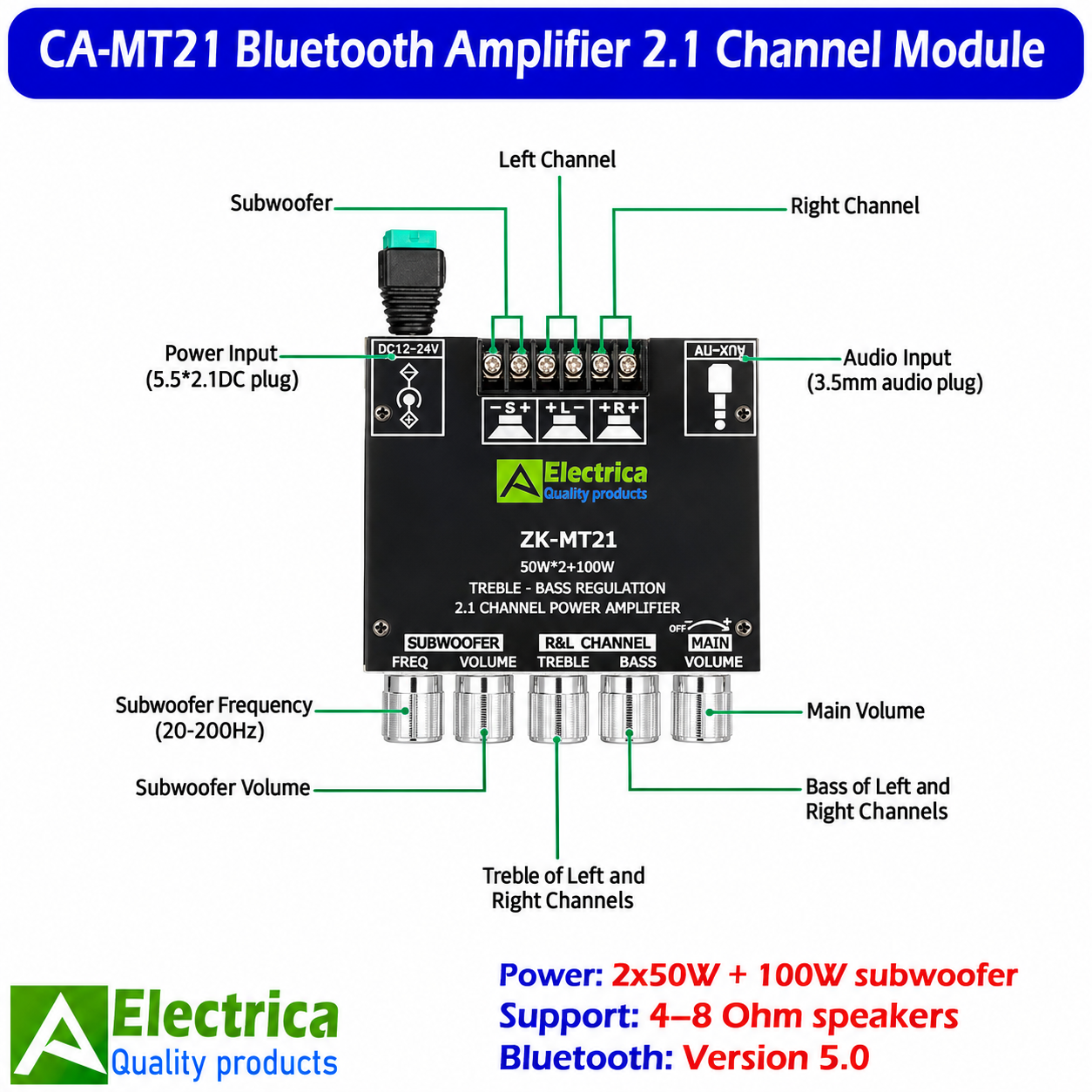
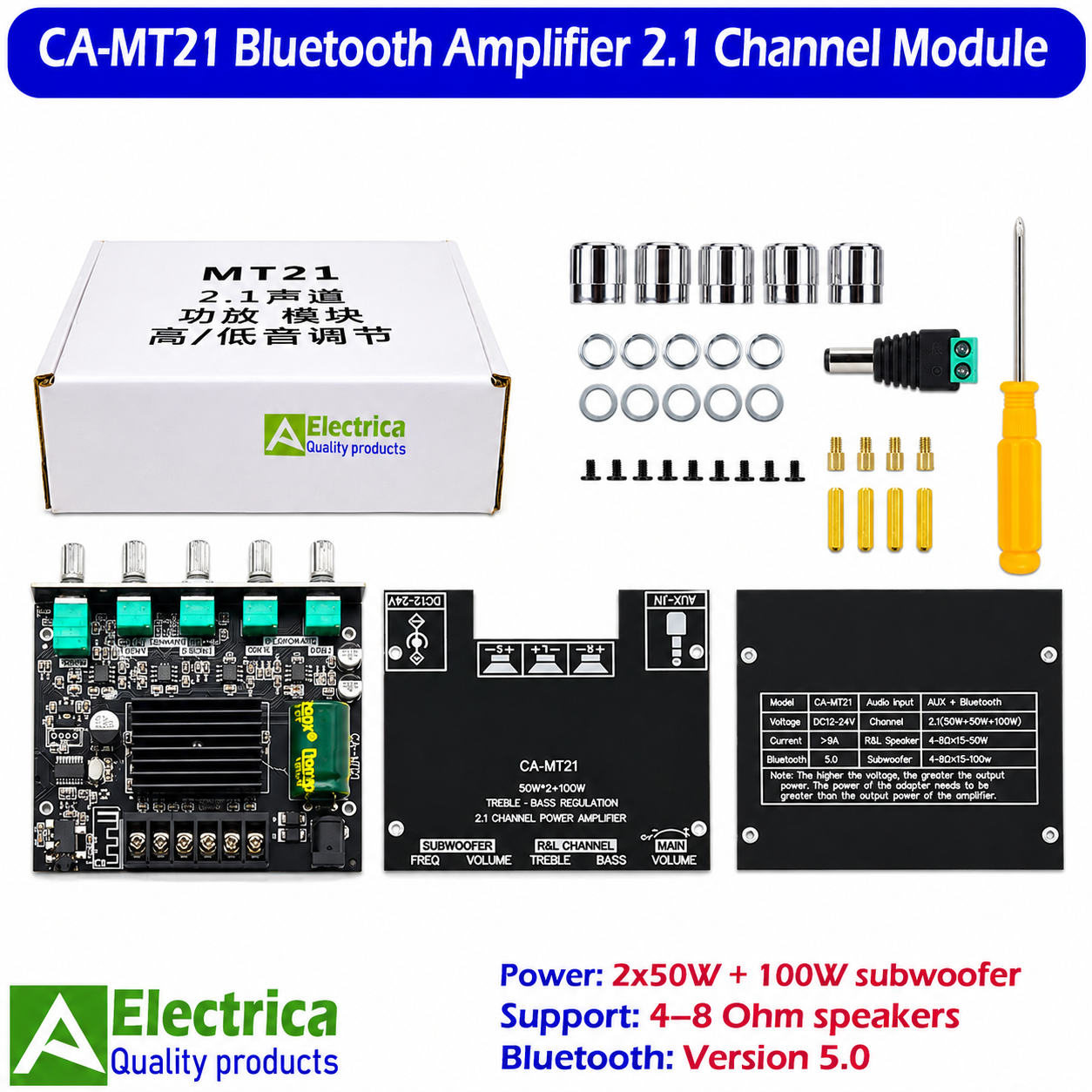
The module features five rotary adjustment controls on its front panel:
- Subwoofer Frequency: Adjusts the subwoofer frequency range, marked 20–200Hz.
- Subwoofer Volume: Controls the subwoofer output level.
- Treble: Adjusts high-frequency response for the stereo channels.
- Bass: Adjusts low-frequency response for the stereo channels.
- Master Volume: Controls the overall audio volume and incorporates the power switch.
These adjustment options allow users to balance the stereo and subwoofer sound according to their speaker configuration.
5. 12–24V DC Power Supply
The amplifier board operates with a DC supply voltage of 12–24V. It features a 5.5 × 2.1mm DC power input connection for convenient power supply installation.
For reliable operation, use a suitable regulated DC power supply with adequate current capacity. The product information indicates a current requirement above 9A; the actual supply requirement depends on the output level and connected speakers.
6. Screw-Terminal Speaker Connections
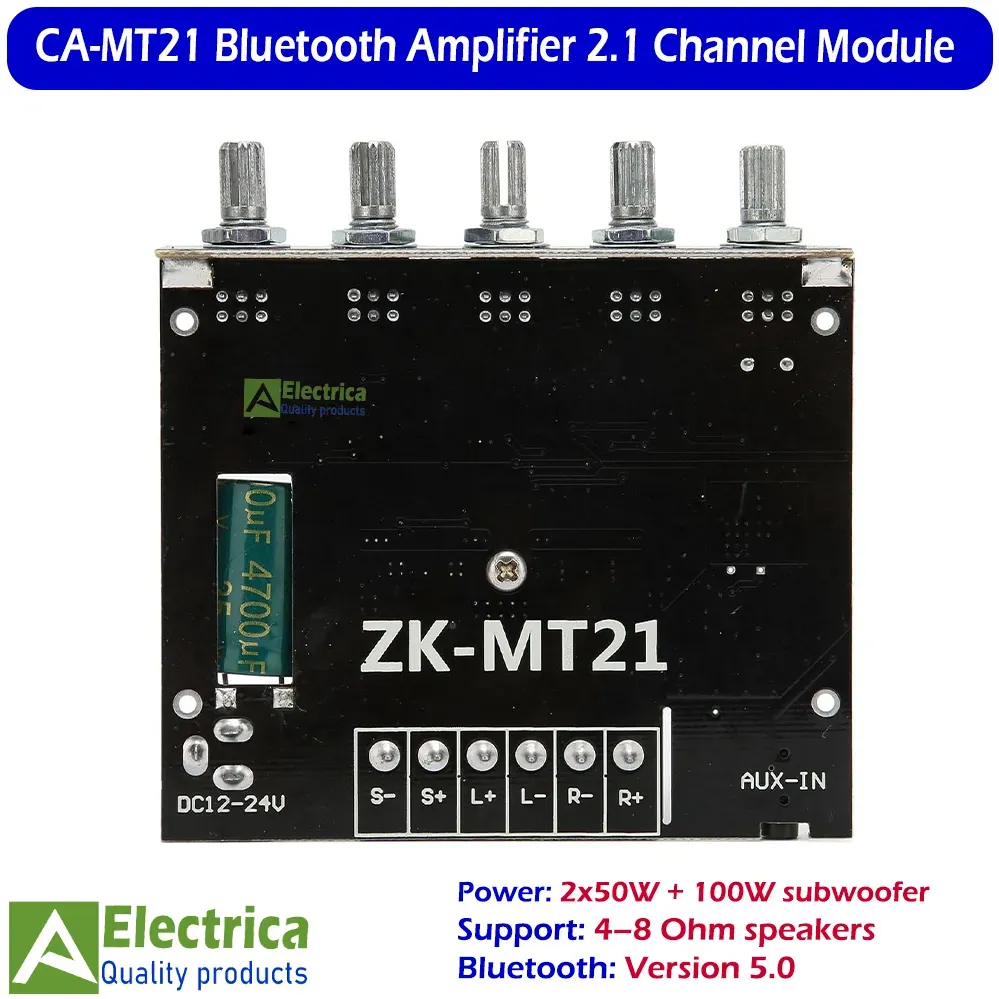
The board provides separate screw-terminal connections for the left speaker, right speaker and subwoofer. These terminals make it easier to connect compatible speakers during DIY audio assembly.
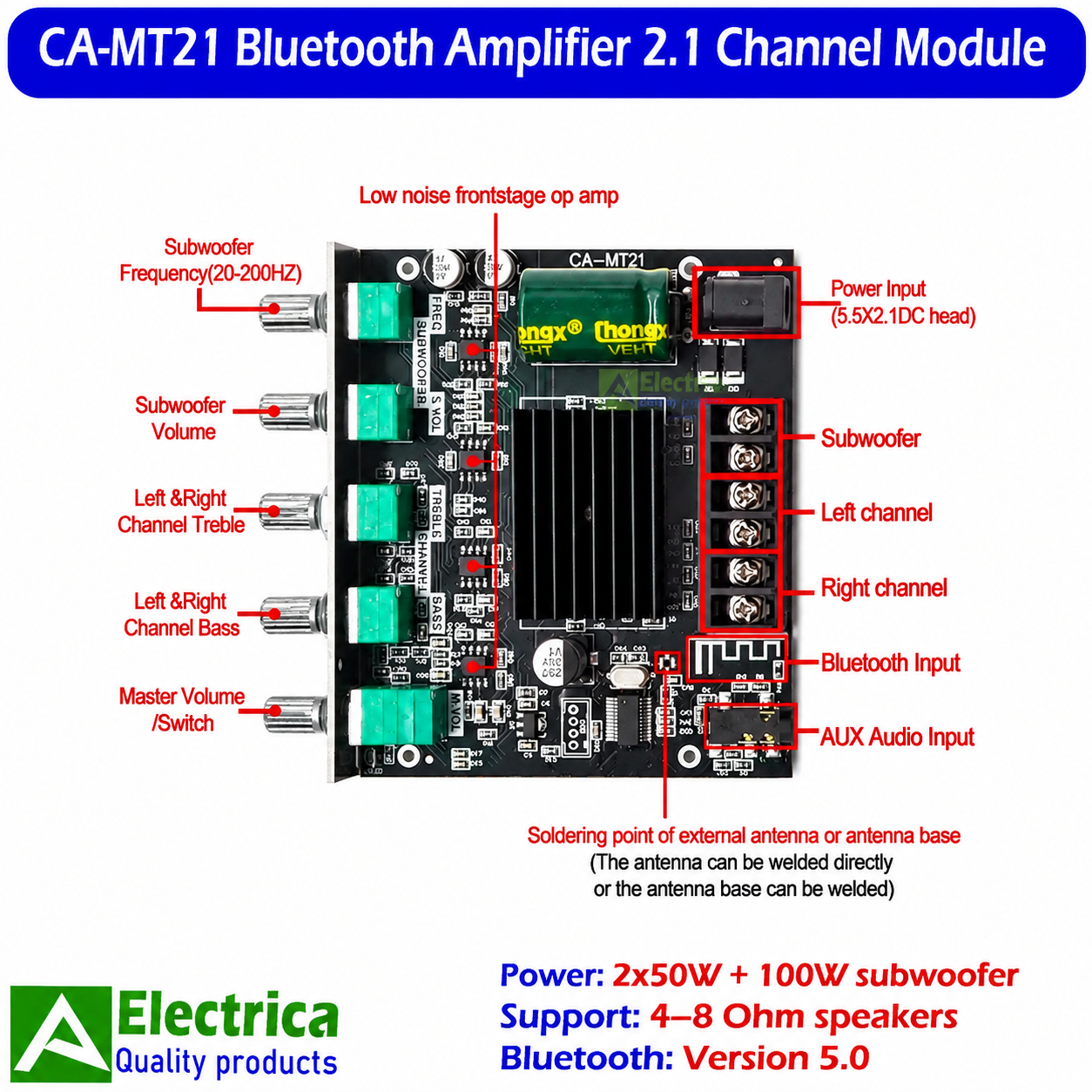
7. Integrated Heatsink and External Antenna Support
An integrated heatsink is fitted to the amplifier board to assist with heat dissipation. The PCB also provides a soldering point for an external Bluetooth antenna or antenna base, as shown in the product images.
Applications of the CA-MT21 Audio Amplifier Board
The CA-MT21 Bluetooth Amplifier can be used in several DIY and custom audio applications, including:
- DIY 2.1 channel speaker systems
- Home audio amplifier projects
- Bluetooth-enabled stereo speakers
- Subwoofer amplifier projects
- Multimedia speaker systems
- Custom speaker enclosures
- Electronics and audio experimentation
- Audio system upgrades
Technical Specifications
| Specification | Details |
|---|---|
| Product Model | CA-MT21 |
| Product Type | Bluetooth 2.1 Channel Amplifier Module |
| Audio Channels | 2.1 Channel |
| Advertised Stereo Output | 2 × 50W |
| Advertised Subwoofer Output | 100W |
| Total Advertised Output | 200W |
| Operating Voltage | DC 12–24V |
| Current Information | Above 9A indicated on product label |
| Bluetooth Version | 5.0 |
| Audio Inputs | Bluetooth and AUX |
| AUX Connector | 3.5mm |
| Power Connector | 5.5 × 2.1mm DC |
| Speaker Impedance | 4–8Ω |
| Subwoofer Frequency Adjustment | 20–200Hz |
| Audio Adjustments | Subwoofer Frequency, Subwoofer Volume, Treble, Bass and Master Volume |
| Speaker Outputs | Left, Right and Subwoofer |
| Cooling | Integrated Heatsink |
| Antenna Support | External antenna soldering point |
| Board Dimensions | Approx. 90 × 93 × 20mm |
Installation and Usage Guidelines
Before connecting the CA-MT21 Bluetooth Amplifier, make sure the DC power supply voltage is within the specified 12–24V range. Check the polarity of the power connection before switching on the module.
Connect the left and right speakers to their respective output terminals and connect the compatible subwoofer to the dedicated subwoofer output. Ensure that the connected speakers have a compatible 4–8Ω impedance.
For Bluetooth operation, pair the amplifier with a compatible Bluetooth audio device. Alternatively, connect an audio source through the 3.5mm AUX input.
Adjust the master volume, bass, treble and subwoofer controls gradually to achieve the desired sound balance. Ensure adequate ventilation around the amplifier during operation.
Important: The advertised 2 × 50W + 100W output is a product rating and should not be interpreted as guaranteed continuous output under all conditions. Actual power depends on supply voltage, current capacity, speaker impedance, cooling and operating conditions. Use an appropriate power supply and compatible speakers.
Why Choose Electrica?
At Electrica, we provide electronic components, amplifier modules, development boards, sensors, tools and accessories for DIY projects, technicians, students and electronics professionals.
The CA-MT21 Bluetooth Amplifier is a practical option for users looking to build a compact 2.1 channel audio system with Bluetooth connectivity, AUX input and separate audio adjustment controls.
Explore more electronic components and project modules at:
For product information and orders, contact Electrica through the WhatsApp option available on our website.
Please check all product images for the board layout, dimensions, connection terminals, adjustment controls and accessories before placing your order.
| Weight | 0.2 kg |
|---|---|
| Dimensions | 9 × 9.3 × 2 cm |
| Model | CA-MT21 |
| Channel Configuration | 2.1 Channel |
| Bluetooth | 5.0 |
| Audio Input | Bluetooth + AUX |
| Operating Voltage | 12–24V DC |
| Stereo Output | 2×50W Speakers |
| Subwoofer Output | 100W (advertised) |
| Speaker Impedance | 4–8Ω |
| Subwoofer Frequency | 20–200Hz |
Based on 0 reviews
Be the first to review “CA-MT21 Bluetooth Amplifier – 2.1 Channel 2×50W + 100W Subwoofer Audio Board – Electrica”
You may also like…
-
All Products, Amplifier Boards, Audio & Amplifier Modules
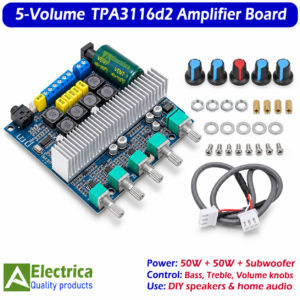
TPA3116D2 2.1 Channel 50W x 2 + 100W Subwoofer Audio Amplifier Board – Electrica
 All Products, Amplifier Boards, Audio & Amplifier Modules
TPA3116D2 2.1 Channel 50W x 2 + 100W Subwoofer Audio Amplifier Board – Electrica
- Model: TPA3116D2
- Configuration: 2.1 Channel Class D Amplifier
- Stereo Output: Up to 50W × 2
- Subwoofer: Dedicated subwoofer output
- Input Voltage: DC 12–24V
- Controls: Five rotary audio adjustment knobs
- Cooling: Aluminium heatsink
- Applications: DIY speakers, home audio and custom speaker systems
Build your own 2.1-channel audio system with this TPA3116D2 amplifier board, available from Electrica.
SKU: 1x TPA3116d2 5-Voume Amplifier -
All Products, Amplifier Boards, Audio & Amplifier Modules
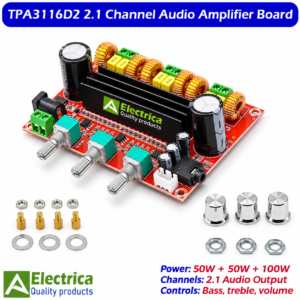
TPA3116D2 2.1 Channel Audio Amplifier Board – 50W × 2 Stereo + 100W Subwoofer, Class D Amplifier Module with Bass, Treble & Volume Controls | Electrica
 All Products, Amplifier Boards, Audio & Amplifier Modules
TPA3116D2 2.1 Channel Audio Amplifier Board – 50W × 2 Stereo + 100W Subwoofer, Class D Amplifier Module with Bass, Treble & Volume Controls | Electrica
- Amplifier IC: TPA3116D2
- Amplifier Type: Class D Audio Amplifier
- Audio Configuration: 2.1 Channel Output
- Stereo Output: 50W × 2 (claimed)
- Subwoofer Output: 100W (claimed)
- Total Advertised Power: 200W
- Audio Controls: Volume, Bass and Treble
- Power Input: 12V–24V DC (as indicated in product image)
- Cooling: Aluminium Heatsink
- Speaker Outputs: Left, Right and Subwoofer
- Control Interface: Three Rotary Potentiometers
- PCB Dimensions: Approximately 102 × 70 mm
- Board Height: Approximately 28 mm
- Applications: DIY Home Audio, Stereo Speakers and Subwoofer Systems
SKU: 1x TPA3116d2 3-Voume Red Amplifier
Related products
-
All Products, DC-DC Converters
DC 3V–6V to 400KV High Voltage Arc Generator | Boost Step-Up Module Tesla Coil for Science Projects by Electrica
 All Products, DC-DC Converters
DC 3V–6V to 400KV High Voltage Arc Generator | Boost Step-Up Module Tesla Coil for Science Projects by Electrica
⚡Specifications
Input Voltage: 3V–6V DC
Output Voltage: Up to 400KV
Output Visibility: Electrical arcs
Dimensions: Length 65mm × Width 25mm
Application: Science experiments, Tesla coil projects, DIY electronics
Safety: Operate under supervision, keep away from sensitive electronics
Size: Compact and lightweight
Material: High-quality PCB & components
SKU: 1x 400kv High Voltage Generator -
All Products, USB Fast Charging Modules
24W Dual USB Fast Charging Module QC2.0/QC3.0 | 6-32V DC-DC Step Down Converter by Electrica
 All Products, USB Fast Charging Modules
24W Dual USB Fast Charging Module QC2.0/QC3.0 | 6-32V DC-DC Step Down Converter by Electrica
⚡Specifications
-
Input Voltage: 6–32V DC
-
Output Voltage: Default 5V, auto 3–12V
-
Max Power: 24W
-
USB Ports: 2 (Dual USB Fast Charging)
-
Protocols Supported: QC2.0, QC3.0
-
Output Current: Up to 3.4A
-
Efficiency: Up to 92%
-
Protection: Overcurrent, Overtemperature, Short-circuit
-
Module Type: DC-DC Step Down Converter
SKU: 380$ 2-Channel Black Fast Blac Charger -
-
All Products, Soldering Tools
TE-800 LED Helping Hand Magnifier Stand with Dual LED Light, Adjustable PCB Clips and 2.5X–10X Magnification by Electrica
 All Products, Soldering Tools
TE-800 LED Helping Hand Magnifier Stand with Dual LED Light, Adjustable PCB Clips and 2.5X–10X Magnification by Electrica
-
Model: TE-803 LED Magnifier Helping Hand Station
-
Magnification Levels: 2.5X / 4X / 16X optical glass lenses
-
Lighting: 16 built-in high-brightness LED lights
-
Power Source: USB-powered (5V)
-
Material: Metal base with durable ABS body
-
Clip Design: Dual alligator clips with flexible joints
-
Holder Type: Built-in soldering iron holder with sponge tray
-
Adjustability: 360° rotating arms for precision alignment
-
Application: Ideal for soldering, jewelry, and PCB work
-
Base Type: Weighted base for stability during operation
-
Lens Diameter: 90mm main lens, 25mm auxiliary lens
-
Color: Silver/Black professional finish
SKU: 1x TE800 Helping Hand -
-
All Products, Soldering Tools, Tools & Repair Equipment
Professional TE-802 LED Helping Hand Magnifier Soldering Stand with 16 SMD LEDs, 2.5X & 4X Lenses by Electrica
 All Products, Soldering Tools, Tools & Repair Equipment
Professional TE-802 LED Helping Hand Magnifier Soldering Stand with 16 SMD LEDs, 2.5X & 4X Lenses by Electrica
- Model: TE-802 LED Helping Hand Magnifier Soldering Stand.
- Magnification: 2.5X primary lens and 4X auxiliary lens.
- LED Lighting: 16 SMD LEDs integrated around the magnifier.
- Flexible Arm: Adjustable gooseneck for positioning the magnifying lens.
- Helping Hands: Adjustable metal clips for supporting suitable PCBs and small components.
- Soldering Support: Helps keep workpieces in position during manual soldering and inspection.
- Iron Holder: Shown in the supplied complete-stand images.
- Solder Wire Support: Shown in the supplied complete-stand images.
- Power: Battery or external adapter; verify the exact electrical requirements before use.
- Applications: PCB repair, electronics assembly, soldering assistance, and precision inspection.
SKU: 1x TE802 Helping Hand -
All Products, USB Fast Charging Modules
4 USB QC3.0 QC2.0 Fast Charging Buck Converter 6V–32V to 5V High-Speed Mobile Charging Module with Overcurrent Protection by Electrica
 All Products, USB Fast Charging Modules
4 USB QC3.0 QC2.0 Fast Charging Buck Converter 6V–32V to 5V High-Speed Mobile Charging Module with Overcurrent Protection by Electrica
⚡Specifications
• Input Voltage: 6V–32V DC
• Output Voltage: 5V (Auto-adjusts to 9V/12V when QC is triggered)
• Fast Charging Support: QC3.0 / QC2.0 / AFC / FCP / SCP / PE+
• USB Ports: 4 Independent High-Speed Ports
• Output Current: Up to 3A per port
• Maximum Output Power: 24W high-efficiency module
• Conversion Efficiency: Up to 95%
• Protection Features: Overcurrent / Short Circuit / Over-Temp / Reverse Polarity
• Application: DIY, Automotive, UPS, Solar, Power Bank, Robotics
• Build Quality: High-grade PCB with heat-resistant components
⚡Technical Highlights
• Auto-Voltage Detection
• Stable Output Under Heavy Load
• Low Heat Generation
• High-Speed Digital Power Switching
• Noise-Free Operation
SKU: 1x 4-Channel Fast Charger Black
There are no reviews yet.