

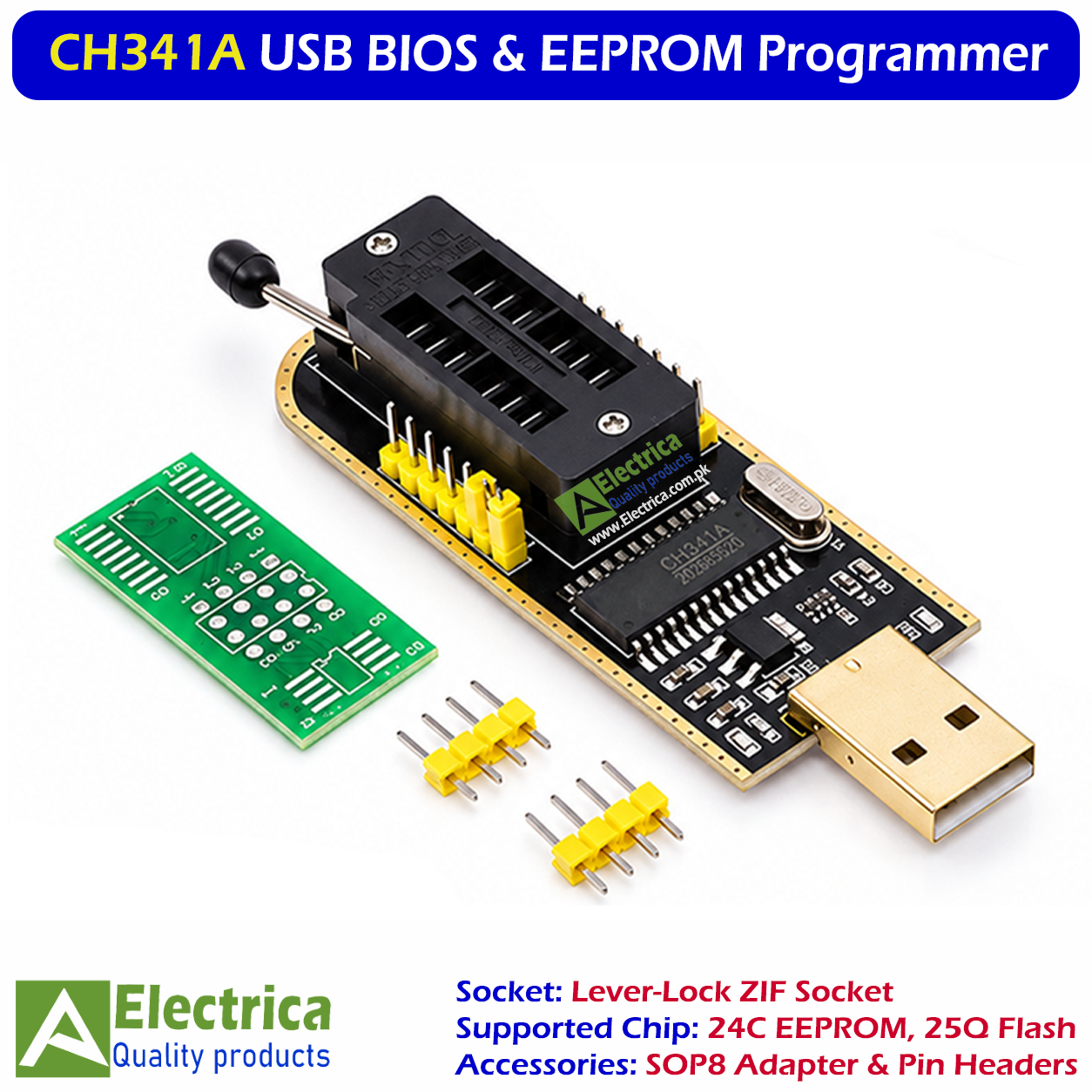

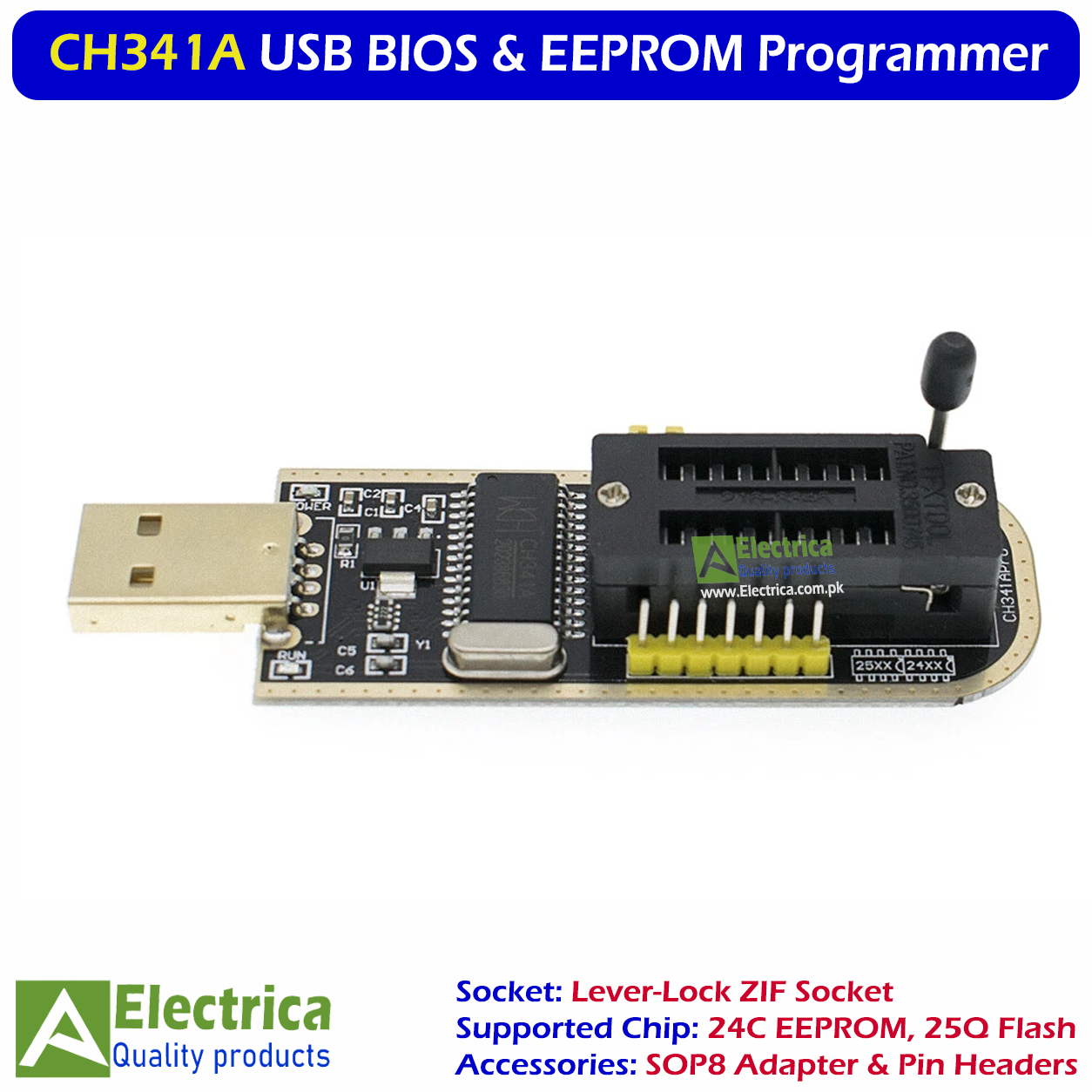


CH341A USB BIOS & EEPROM Programmer with 24C EEPROM, 25Q SPI Flash Support, ZIF Socket and SOP8 Adapter by Electrica
39 in stock
Back up firmware, restore a corrupted BIOS or program a replacement memory chip with the CH341A USB BIOS & EEPROM Programmer. This compact USB tool supports selected 24C EEPROM and 25Q SPI flash chips for motherboard and electronics repair.
- Chip Support: Selected 24C I²C EEPROM and 25Q SPI flash chips.
- Memory Operations: Read, write, erase and verify chip contents.
- Firmware Backup: Save the original firmware before repair.
- USB Power: Connect directly to a computer’s USB-A port.
- Lever-Lock Socket: Secure compatible chips in the ZIF socket.
- SOP8 Adapter: Adapter PCB and pin headers included.
₨ 780
39 in stock
CompareThe CH341A USB BIOS & EEPROM Programmer is a compact electronic programming tool designed for reading, writing, backing up and restoring compatible EEPROM and SPI Flash memory chips. It supports selected 24C series I²C EEPROM and 25Q series SPI Flash devices, making it useful for computer motherboard repair, BIOS recovery, firmware programming and electronic equipment maintenance.
Product Specifications:
- Model: CH341A
- Product Type: USB BIOS and EEPROM programmer
- Controller IC: CH341A
- USB Interface: Type-A
- Input Supply: 5 V via USB
- EEPROM Support: Compatible 24C-series chips
- Flash Support: Compatible 25Q-series chips
- Protocols: I²C and SPI
- Socket: Lever-lock ZIF socket
- Crystal Frequency: 12 MHz
- Indicators: Power and read/write status
- PCB Colour: Black and gold
- Programmer Size: 70 × 27 mm
- Adapter Size: 36 × 15 mm
- Accessories: SOP adapter PCB and pin headers
Package Contents
- 1 × CH341A USB BIOS & EEPROM Programmer
- 1 × SOP Adapter PCB
- 2 × 4-Pin Male Headers
FAQ: CH341A USB BIOS & EEPROM Programmer
1. What is the CH341A programmer used for?
It reads, writes, erases and verifies compatible memory chips. Common uses include firmware backup, BIOS recovery and programming replacement chips for motherboards, laptops, routers and TV control boards.
2. Which memory chips does it support?
It supports selected 24C-series I²C EEPROMs and 25Q-series SPI flash chips. Check the exact chip part number against your programming software’s supported-device list.
3. How does it connect to a computer?
The USB Type-A plug provides both power and communication. The board includes programming headers, status indicators and a 12 MHz crystal oscillator.
4. How does the lever-lock ZIF socket work?
The Zero Insertion Force (ZIF) socket holds the chip or adapter during programming. Use the 24XX or 25XX markings to select the correct position, check pin 1 orientation and close the lever.
5. Can it program surface-mount chips?
Yes, for compatible packages. The supplied SOP adapter PCB and pin headers require assembly before use. Check the chip’s orientation on the adapter before connecting it.
6. What should I check before programming a 3.3 V or 1.8 V chip?
Check both the supply voltage and signal levels against the chip’s datasheet. Confirm that your programmer and adapter provide the levels required by that specific chip.
7. What software do I need?
Use CH341A programming software that supports your exact memory chip. Driver requirements depend on your computer’s operating system.
8. What should I back up before BIOS recovery?
Read, save and verify the original chip contents before erasing or writing. After writing the replacement firmware, use the software’s verification function to check it against the intended file.
9. What is included, and how large is the programmer?
The kit includes one CH341A USB programmer, one SOP adapter PCB and two 4-pin male headers. The programmer measures approximately 70 × 27 mm and the adapter 36 × 15 mm.
Explore more electronic programming and repair tools at Electrica.
CH341A Technical Datasheet
| Weight | 0.1 kg |
|---|---|
| Dimensions | 12 × 10 × 12 cm |
| Model | CH341A |
| Interface | USB Type-A |
| Supported EEPROM | 24C Series |
| Supported Flash | 25Q Series |
| Protocol | SPI / I²C |
| Socket Type | ZIF |
| Input Voltage | 5V USB |
| PCB Colour | Black / Gold |
| Dimensions | 70 × 27 mm |
Based on 0 reviews
Be the first to review “CH341A USB BIOS & EEPROM Programmer with 24C EEPROM, 25Q SPI Flash Support, ZIF Socket and SOP8 Adapter by Electrica”
Related products
-
All Products, Mobile Repairing Tools, Tools & Repair Equipment, Uncategorized
TE-666 6Pcs Mobile Opening Repair Tool Kit with 12 Double-Ended Metal Pry Profiles and Non-Slip Handles by Electrica
 All Products, Mobile Repairing Tools, Tools & Repair Equipment, Uncategorized
TE-666 6Pcs Mobile Opening Repair Tool Kit with 12 Double-Ended Metal Pry Profiles and Non-Slip Handles by Electrica
The TE-666 Mobile Opening Repair Tool Kit is a versatile six-piece precision tool set designed for mobile phone repairing, electronic device disassembly, screen separation and general electronics maintenance. Featuring six double-ended metal opening tools with 12 different pry profiles, this kit provides multiple working tips for handling various repair and disassembly requirements.
- Model: TE-666
- Tool Set: 6 Pieces
- Design: Double-Ended Tools
- Working Heads: 12 Different Pry Profiles
- Overall Length: Approximately 150mm
- Tip Material: Metal
- Handle: Non-Slip Textured Grip
- Colour: Black and Yellow
- Functions: Prying, Lifting & Opening
- Operation: Manual
- Packaging: Transparent Storage Pouch
- Applications: Mobile Repair, Electronics & DIY Projects
SKU: 1x TE-666 6Pcs Mobile Opening Repair Tool Kit -
All Products, Soldering Tools & Accessories, Tools & Repair Equipment
V52 Heat Resistant Silicone Soldering Repair Mat 320×228mm – Non-Slip Electronics PCB & Mobile Phone Repair Work Mat – Electrica
 All Products, Soldering Tools & Accessories, Tools & Repair Equipment
V52 Heat Resistant Silicone Soldering Repair Mat 320×228mm – Non-Slip Electronics PCB & Mobile Phone Repair Work Mat – Electrica
The V52 Heat Resistant Silicone Repairing Mat is a flexible, non-slip electronics repair work mat designed for mobile phone servicing, PCB maintenance, and precision assembly. Its 320 × 228 mm surface includes integrated storage compartments and a small screw positioning grid for organising components.
- Model: V52 Silicone Repairing Mat
- Material: Flexible Silicone Construction
- Size: 320 × 228 mm (12.6 × 9.0 Inches)
- Heat Resistance: Designed for Electronics Repair Work
- Surface: Non-Slip Work Area
- Applications: Mobile Phone, PCB and Electronics Repair
- Suitable For: Technicians, Engineers, Students and DIY Enthusiasts
SKU: 1x V52 Silicon Reparing Mat -
All Products, Soldering Tools
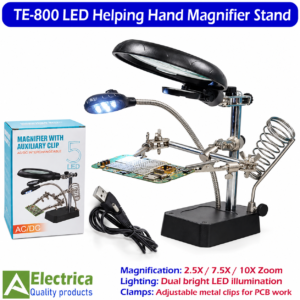
TE-800 LED Helping Hand Magnifier Stand with Dual LED Light, Adjustable PCB Clips and 2.5X–10X Magnification by Electrica
 All Products, Soldering Tools
TE-800 LED Helping Hand Magnifier Stand with Dual LED Light, Adjustable PCB Clips and 2.5X–10X Magnification by Electrica
-
Model: TE-803 LED Magnifier Helping Hand Station
-
Magnification Levels: 2.5X / 4X / 16X optical glass lenses
-
Lighting: 16 built-in high-brightness LED lights
-
Power Source: USB-powered (5V)
-
Material: Metal base with durable ABS body
-
Clip Design: Dual alligator clips with flexible joints
-
Holder Type: Built-in soldering iron holder with sponge tray
-
Adjustability: 360° rotating arms for precision alignment
-
Application: Ideal for soldering, jewelry, and PCB work
-
Base Type: Weighted base for stability during operation
-
Lens Diameter: 90mm main lens, 25mm auxiliary lens
-
Color: Silver/Black professional finish
SKU: 1x TE800 Helping Hand -
-
All Products, DC-DC Converters
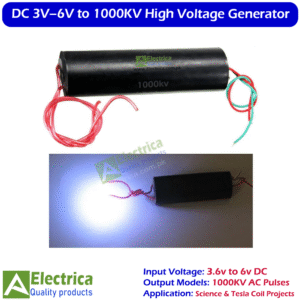
1000kV High Voltage Generator 3.7–6V DC to 100000V Arc Ignition High-Voltage Power Module for DIY Electronics by Electrica
 All Products, DC-DC Converters
1000kV High Voltage Generator 3.7–6V DC to 100000V Arc Ignition High-Voltage Power Module for DIY Electronics by Electrica
-
Input Voltage: 3.7V–6V DC
-
Output Voltage: Up to 1000kV (extremely high voltage arc)
- Dimentions: 88mm Length x 23mm Width
-
Module Type: High Voltage Generator / Arc Ignition Module
-
Operating Mode: Pulsed High-Voltage Output
-
Ideal Use: DIY ignition, stun gun prototype, high-voltage demo, science project
-
Wiring: Red = Positive, Black = Negative
-
Output: Dual high-voltage terminals
-
Build Quality: High-temperature coil, strong insulation, stable performance
-
Size: Compact lightweight module
-
Recommended Power Source: 18650 battery or DC supply
-
Safety Note: Handle with care; high-voltage output
SKU: 1x 100kv High Voltage Generator -
-
All Products, Soldering Tools, Tools & Repair Equipment
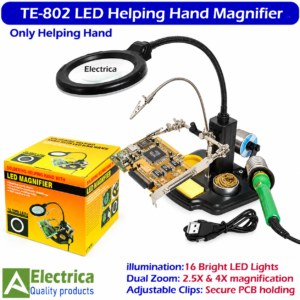
Professional TE-802 LED Helping Hand Magnifier Soldering Stand with 16 SMD LEDs, 2.5X & 4X Lenses by Electrica
 All Products, Soldering Tools, Tools & Repair Equipment
Professional TE-802 LED Helping Hand Magnifier Soldering Stand with 16 SMD LEDs, 2.5X & 4X Lenses by Electrica
- Model: TE-802 LED Helping Hand Magnifier Soldering Stand.
- Magnification: 2.5X primary lens and 4X auxiliary lens.
- LED Lighting: 16 SMD LEDs integrated around the magnifier.
- Flexible Arm: Adjustable gooseneck for positioning the magnifying lens.
- Helping Hands: Adjustable metal clips for supporting suitable PCBs and small components.
- Soldering Support: Helps keep workpieces in position during manual soldering and inspection.
- Iron Holder: Shown in the supplied complete-stand images.
- Solder Wire Support: Shown in the supplied complete-stand images.
- Power: Battery or external adapter; verify the exact electrical requirements before use.
- Applications: PCB repair, electronics assembly, soldering assistance, and precision inspection.
SKU: 1x TE802 Helping Hand
There are no reviews yet.